

AI for Kids: A Parent's Guide to Safe, Useful AI Learning Tools
AI for kids can explain, coach, and spark curiosity, or just hand over answers. Learn what to look for in a safe AI tutor and how to set it up at home.
AI for kids means chat-based tools that answer a child's questions, explain ideas, and coach them through problems in plain language. Used well, it can feel like a patient study buddy. Used carelessly, it becomes an answer machine. The difference comes down to three things: the tool's design, the rules you set, and how involved you stay.
Quick summary
- Most popular AI chatbots are built for adults and teens 13+, not for younger children.
- A good AI tutor for kids explains and asks questions instead of handing over finished answers.
- Look for parent visibility, time limits, age-fit language, and honesty about mistakes.
- AI can be wrong. It works best alongside you and your child's teacher, never instead of them.
- Start small: one subject, short sessions, and a weekly check-in about what your child learned.
What does "AI for kids" actually mean?
When parents search for kids AI, they usually mean one of three things:
- General chatbots (like ChatGPT or Gemini) that anyone can talk to about anything.
- AI tutor apps that focus on schoolwork and explain step by step.
- AI learning companions that mix learning, curiosity questions, stories, and conversation, with parents in the loop.
All three use large language models, the same technology that predicts helpful-sounding text. That is why they can explain fractions in a friendly way. It is also why they can sound confident while being wrong.
The key point for parents: the model matters less than the product around it. Who is it built for? What does it do when a child asks for the answer? Can you see what is happening?
How many kids are already using AI?
More than many parents realize. In a Pew Research Center survey (2026) of U.S. teens ages 13 to 17, 64% said they use AI chatbots, and about three in ten use them daily. Yet only about half of parents said their teen uses chatbots. That gap is worth a conversation at your dinner table.
Schoolwork is a big driver. The same Pew report found that 54% of teens have used chatbots to get help with schoolwork, and about one in ten say they do all or most of their schoolwork with a chatbot's help.
Younger children are less studied, but they are curious, and they often follow older siblings. Expect your child to meet AI sooner or later, whether at school, at a friend's house, or on a shared family device.
Is AI safe for kids?
Not automatically. "Safe AI for kids" is not a feature you switch on. It is a mix of design choices, settings, and supervision.
Here are the main concerns experts raise:
- Age fit. Most mainstream chatbots are not designed for young children. OpenAI's terms of use (checked October 23, 2026) require users to be at least 13, with a parent's permission under 18. We cover ChatGPT in detail in our guide, is ChatGPT safe for kids.
- Companion-style bots. A Common Sense Media survey (2025) found that 72% of U.S. teens had tried AI companions, and about one in three teen users said something a companion said or did made them uncomfortable. Common Sense recommends that no one under 18 use AI companions.
- Privacy. In the U.S., the FTC's COPPA Rule requires online services aimed at children under 13 to get verifiable parental consent before collecting their personal information. The FTC strengthened the rule in 2025.
- Wrong answers. AI can make mistakes in math, facts, and reasoning. A child may not notice.
- Over-reliance. If the tool always gives the answer, your child practices copying, not thinking.
Regulators are watching too. In September 2025, the FTC opened an inquiry into seven companies about how their companion-style chatbots affect children and teens. Globally, UNICEF's guidance on AI and children (version 3.0, 2025) sets out 10 requirements for child-centered AI, including child safety, data and privacy protection, and transparency.
Our honest take: a tool built for children, with parents in the loop, lowers the risk. It does not remove it.
What should a safe AI tutor for kids include?
Use this checklist before you hand any AI tutor app to your child. You can apply it to any product, including ours.
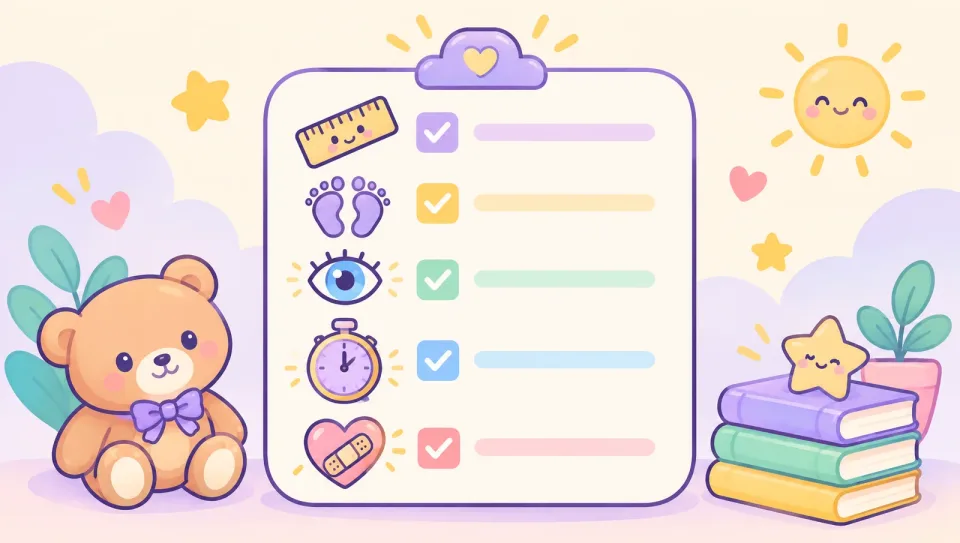
| What to check | Why it matters | Good sign |
|---|---|---|
| Built for your child's age | Adult tools assume adult judgment | Clear age range; explanations change with age |
| Guides instead of answering | Kids learn by doing the thinking | Asks "what do you think comes next?" before revealing steps |
| Parent visibility | You can't guide what you can't see | You can read conversations or get clear summaries |
| Time limits | Prevents endless sessions | Daily or weekly limits you control |
| Alerts for worrying topics | Kids don't always tell you | You're notified if something concerning comes up |
| Honest about errors | Builds healthy skepticism | Tool and company say plainly that AI can be wrong |
| Clear privacy terms | Children's data deserves extra care | Plain-language policy; parent creates the account |
| No pressure to keep chatting | Engagement tricks don't serve learning | No "I miss you" messages, streak guilt, or fake feelings |
If a product fails several of these, keep looking.
Which AI tools work best for which age?
Ages are a guide, not a rule. You know your child.
Ages 6-8: short, voice-first, side by side
Young children do best with voice and read-aloud features, very short sessions, and you sitting next to them. Use AI for "why" questions (why is the sky blue?), simple stories, and reading practice. Keep schoolwork help light.
Ages 9-11: guided practice with check-ins
This is a sweet spot for an AI tutor for kids. Children can type, follow multi-step explanations, and start learning to question answers. Let them work independently for 10-20 minutes, then ask them to teach you what they learned.
Ages 12-14: more independence, clearer rules
Middle schoolers want privacy and autonomy. Agree on rules together: what counts as help versus cheating, which subjects are fine, and when you'll look at conversations. Pew's 2025 analysis found that teens themselves draw lines: 54% said using ChatGPT to research new topics is acceptable, while only 18% said the same about writing essays.
How do you set up AI for kids at home?
A little structure at the start saves arguments later.
- Try it yourself first. Spend 15 minutes asking the tool the kinds of questions your child would ask. Ask for an answer to a homework problem and see what it does.
- Create the account yourself. Use your email, set the age correctly, and turn on any parent controls.
- Write three family rules. For example: "AI explains, you write." "Ask a grown-up if something feels weird." "Screens off at dinner."
- Set a time limit. Short, regular sessions beat long marathons.
- Keep devices in shared spaces for younger kids.
- Teach the 'double-check' habit. If AI gives a fact, check it in a book, with a teacher, or with you.
- Check in weekly. Ask: "What's the most interesting thing you asked this week?"
The American Academy of Pediatrics' new policy statement on generative AI came with similar advice from one of its authors: treat AI as a tool, not a companion, and supervise children's use with firm rules (Healio, 2026).
Can an AI learning companion help with homework?
Yes, if it coaches rather than solves. Ask any AI tool to explain why a step works, and to give a hint before giving an answer. If your child can then solve a similar problem alone, real learning happened.
Homework deserves its own playbook, so we wrote one: how to help your child with homework without doing it for them.
What are the warning signs that AI use isn't working?
Watch for:
- Your child can't explain work they "finished."
- They get upset when the tool is unavailable.
- They talk about the chatbot like a friend who understands them better than people do.
- Sessions keep getting longer, or happen late at night.
- They hide screens or delete chats.
None of these mean disaster. They mean it's time to talk, reset the rules, and maybe take a break.
How Heynour fits in
Heynour is an AI learning companion for kids ages 6 to 14, in Arabic and English, on the web. Your child chats by typing or speaking, and Heynour explains in a way that fits their age. It's designed to guide step by step instead of handing over the finished answer. Kids can also ask about anything that sparks their curiosity or request a story, and younger children can listen with read-aloud.
You create the account and add your child. From there, the parent controls in Heynour let you read their conversations, set a daily time limit, get instant alerts if something worrying comes up, and receive a weekly report on their rounds and effort. Stars and badges reward effort, not grades.
Heynour can make mistakes, and it doesn't replace you or your child's teacher. You can learn how Heynour works, then try the free plan (60 minutes a week) and see whether it fits your child. Compare the Heynour free and Plus plans.
FAQ
What is the best age to introduce AI for kids?
There is no single right age. Many families start around 6 to 8 with short, supervised, voice-based sessions for curiosity questions and stories, then add more independent practice around 9 to 11. The deciding factor is less the age than the tool: choose one built for children, with parent visibility and time limits, and stay involved.
Is ChatGPT okay for a 10-year-old?
According to OpenAI's terms of use, checked in October 2026, ChatGPT users must be at least 13, and teens under 18 need a parent's permission. That means a 10-year-old shouldn't have their own account. If you want AI help for a younger child, look for a tool designed for that age group, and supervise closely.
What is an AI learning companion for kids?
An AI learning companion for kids is a chat-based tool that answers a child's questions, explains concepts at their level, and supports curiosity and schoolwork. Unlike a general chatbot, it's typically designed with an age range in mind and gives parents ways to see activity, set limits, and get alerts. Quality varies a lot, so check features before choosing.
Can AI kids tools replace a tutor or teacher?
No. AI can explain, quiz, and give extra practice at any hour, but it can also be wrong and it doesn't know your child the way a teacher does. Think of an AI tutor app as a supplement: useful for practice and questions between lessons, while teachers and parents provide judgment, feedback, and the human relationship that learning depends on.
How do I keep my child safe when using kids AI?
Create the account yourself, choose a tool made for your child's age, and turn on parent controls. Set time limits, keep devices in shared spaces for younger kids, and agree on simple rules about what AI is for. Check conversations or summaries regularly, and teach your child to tell you when something feels strange or upsetting.
Sources
- Pew Research Center, "How Teens Use and View AI" (February 2026)
- Pew Research Center, "About a quarter of U.S. teens have used ChatGPT for schoolwork" (January 2025)
- Common Sense Media, "Nearly 3 in 4 Teens Have Used AI Companions" (July 2025)
- OpenAI, Terms of Use (effective January 1, 2026; checked October 23, 2026)
- FTC, "FTC Finalizes Changes to Children's Privacy Rule" (January 2025)
- FTC, "FTC Launches Inquiry into AI Chatbots Acting as Companions" (September 2025)
- UNICEF Innocenti, "Guidance on AI and Children" v3.0 (2025)
- Healio, "AAP publishes guidance for AI use in pediatrics" (October 2026)